01IN V4V
Melde dich bei deinem V4V-Konto an
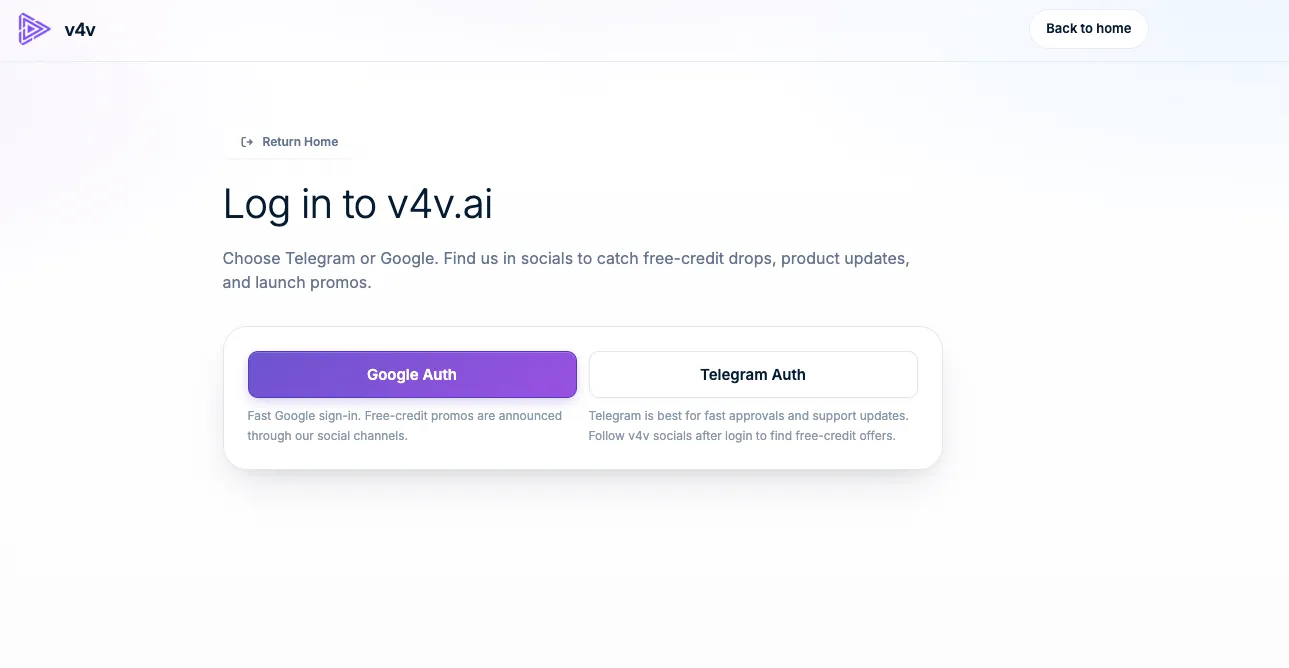
Use Google or Telegram. Your assistant will use this same account, balance and media library.
Sign in to V4VBeispiel ansehen
 v4v.ai-StartseiteVerbinde deinen Assistenten
Deine Unterhaltung. Dein Kreativstudio.
Verbinde V4V, um mit dem Assistenten, den du bereits nutzt, Videos, Bilder und Audio zu erstellen.
https://v4v.ai/api/mcpMelde dich mit deinem V4V-Konto an oder verwende einen API-Schlüssel.
Dieselben V4V-Credits. Dieselbe V4V-Bibliothek.
Connect Claude on the web, desktop or mobile.
Click Add to Claude, review the prefilled name and server URL, then choose Continue.
Keep the detected Sign in now and Register automatically settings, choose Add, then Connect.
Sign in to V4V and accept the three required permissions. Connecting does not spend credits.
Follow the screenshot guide to set both Read-only tools and Write/delete tools to Always allow. Enable V4V in a conversation and check your balance.
Verbinde dein bestehendes V4V-Konto. Prüfe den Assistenten und genehmige den Zugriff einmalig — es gibt keinen Schlüssel zum Erstellen, Kopieren oder Speichern.
Erstelle ihn einmal in V4V. Verwende ihn in einem Client, der benutzerdefinierte Request-Header unterstützt.
Hier ist die vollständige Einrichtung mit Claude als Beispiel.
Use Google or Telegram. Your assistant will use this same account, balance and media library.
Sign in to V4VOpen your profile, find API Keys, give the key a name such as Claude, then choose Create API key.
Open your API keys
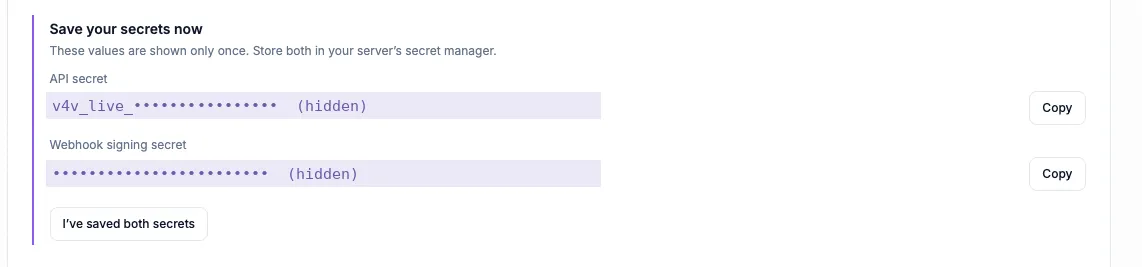
Copy the API secret that starts with v4v_live_. Keep it and the webhook signing secret somewhere safe; they are shown only once. Your assistant needs the API secret.
Behalte das API-Secret privat. Füge es nur in die Authentifizierungseinstellungen deines Clients ein.
Open the custom connector form with the button below. V4V and the server URL are filled in for you. Other clients have their own MCP settings.
Add to Claude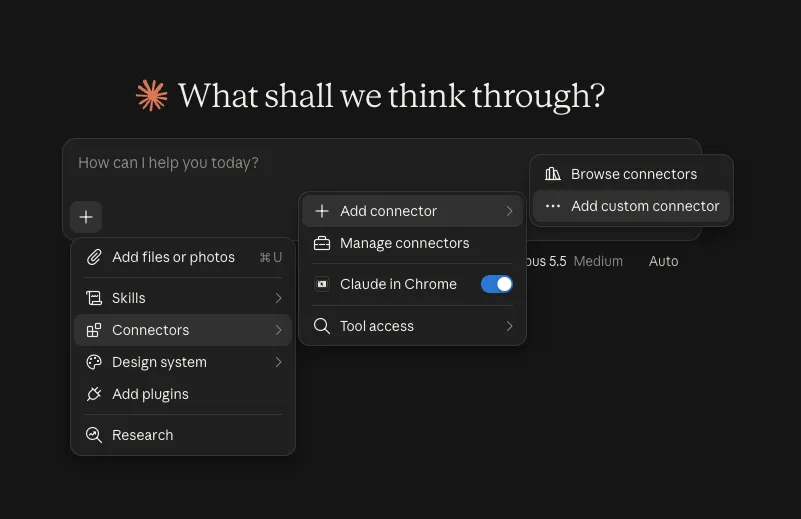
Name the connector V4V and enter https://v4v.ai/api/mcp. Choose Streamable HTTP when asked for the transport.
https://v4v.ai/api/mcp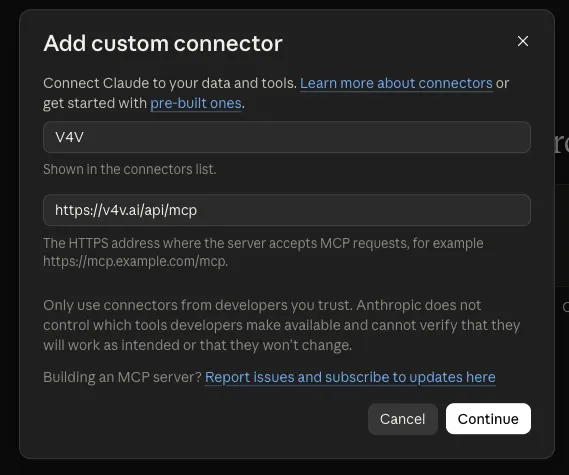
Under Request headers, choose x-api-key and paste the API secret. Header authentication depends on your Claude account or organization. Use OAuth if this option is unavailable.
x-api-key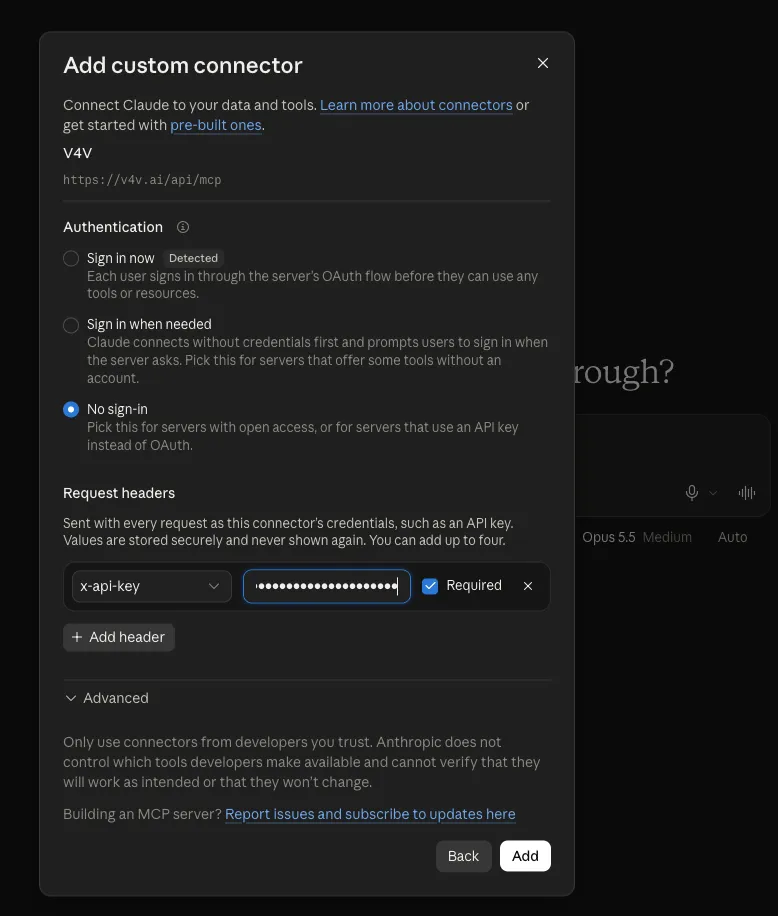
Choose Add and enable the tools you want Claude to use. Ask “Check my V4V balance.” Add credits in your V4V profile when you are ready to generate.
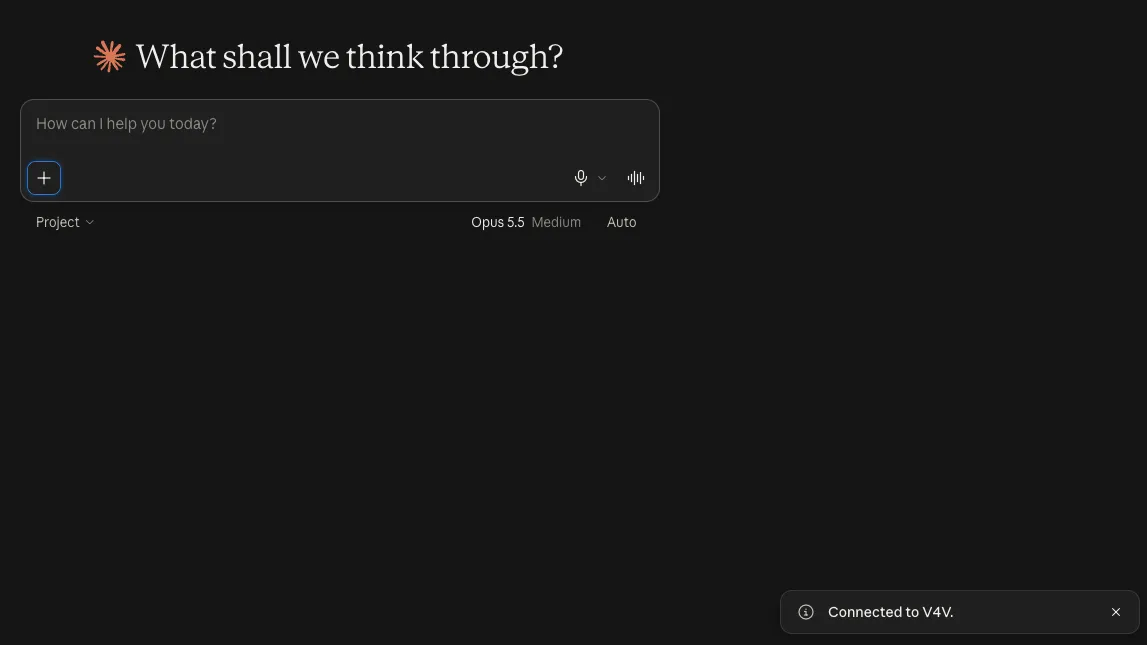
Screenshots sind Beispiele. Bezeichnungen und verfügbare Authentifizierungsoptionen können je nach Client-Version oder Konto variieren.
Beginne mit einer Guthabenprüfung und bring dann dein nächstes Kreativ-Briefing mit.
Check my V4V balance and list the video models that accept a product image as reference.
Zur AnleitungPlan a 10-second vertical 9:16 ad from this product URL. Show me the concept and estimated credits before generating.
Zur AnleitungCreate two UGC-style concepts for this product: a natural talking-to-camera review and a product demonstration. Show costs and wait for my approval.
Zur AnleitungPrepare one Studio video for each of these product URLs. Show the total credit estimate and ask for my batch budget before starting.
Zur AnleitungCombine my last three V4V clips into a vertical video. Add a title for the first two seconds and show me a preview before export.
Zur AnleitungWrite a 15-second voiceover for this product ad in English and Spanish. Show available voices and the credit estimate before generating.
Zur AnleitungTools, Referenzmedien, Credit-Schätzungen, Batch-Workflows und Bearbeitung. Die vollständige Referenz, wenn du sie brauchst.
MCP-Dokumentation öffnen Suchst du die REST API?V4V MCP connects your AI assistant to your V4V account. It can discover models, use reference media, generate video, images and audio, edit videos and retrieve results through the Model Context Protocol.
Connecting, checking your balance, browsing models and checking task status do not spend generation credits. Generations use your existing V4V balance. Ask for an estimate and approve the brief before starting.
Use V4V sign-in (OAuth) when it is offered for your assistant. API keys are an alternative for clients that accept custom request headers. ChatGPT custom MCP connections use OAuth here, not a V4V API key.
Use the guides for ChatGPT, Claude, Claude Code, Cursor, VS Code, Codex CLI, Gemini CLI, Windsurf, Cline and OpenCode. Other clients can connect if they support remote Streamable HTTP with a custom authentication header.
Your assistant can return result links and task status. Generations also appear in the same V4V account and library used by the website, so you can continue working with them in V4V.
Yes. Open your V4V profile and disconnect it under Assistant connections, or revoke its API key. This stops new access; generations already submitted continue running.
Wähle deinen Assistenten. Verbinde dein Konto. Bring eine Idee mit.