01DANS V4V
Connectez-vous à votre compte V4V
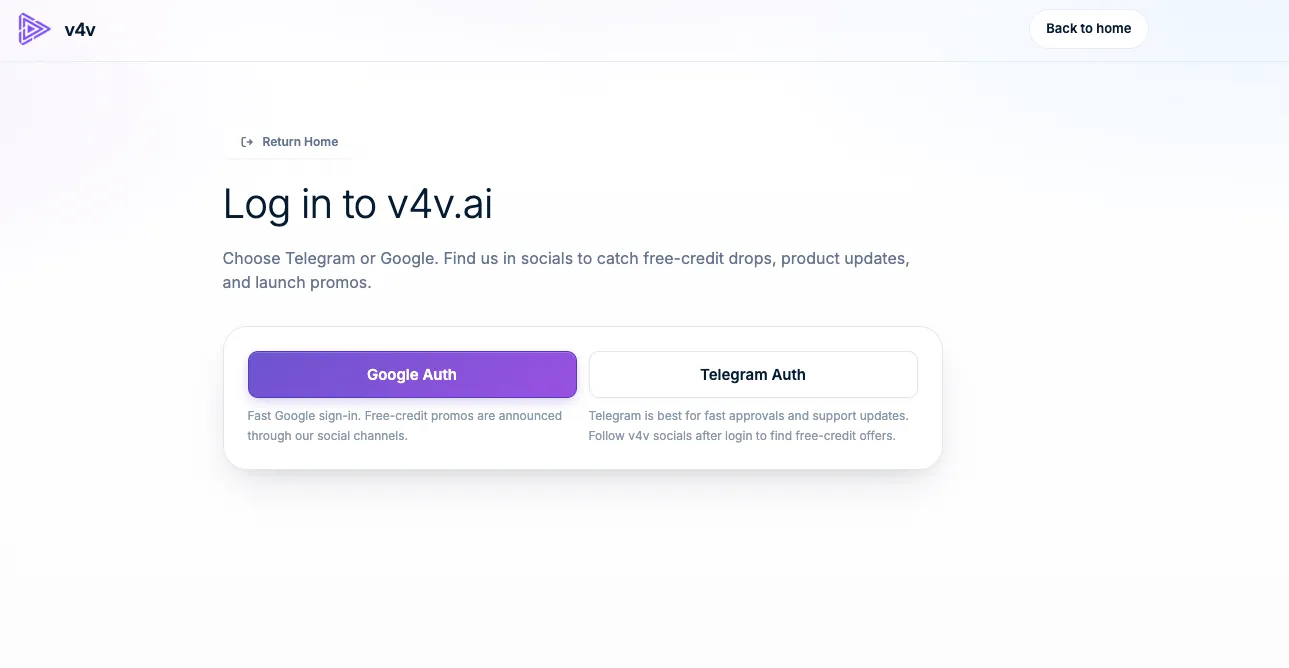
Use Google or Telegram. Your assistant will use this same account, balance and media library.
Sign in to V4VVoir l’exemple
 v4vAccueil .aiConnectez votre assistant
Votre conversation. Votre studio créatif.
Connectez V4V pour créer des vidéos, des images et de l’audio avec l’assistant que vous utilisez déjà.
https://v4v.ai/api/mcpConnectez-vous avec votre compte V4V ou utilisez une clé API.
Les mêmes crédits V4V. La même bibliothèque V4V.
Use V4V tools with GitHub Copilot in VS Code.
Click Install in VS Code and let your browser open the desktop editor.
Review and trust the V4V server when VS Code asks.
Start the V4V server in MCP settings, then sign in and accept the V4V permissions.
Ask your assistant: “Check my V4V balance.”
{
  "servers": {
    "v4v": {
      "type": "http",
      "url": "https://v4v.ai/api/mcp"
    }
  }
}Requires the desktop editor. If the link is blocked, copy the configuration into .vscode/mcp.json.
Connectez votre compte V4V existant. Vérifiez l’assistant et approuvez l’accès une seule fois : aucune clé à créer, copier ou stocker.
Créez-la une seule fois dans V4V. Utilisez-la dans un client prenant en charge des en-têtes de requête personnalisés.
Voici la configuration complète, avec Claude comme exemple.
Use Google or Telegram. Your assistant will use this same account, balance and media library.
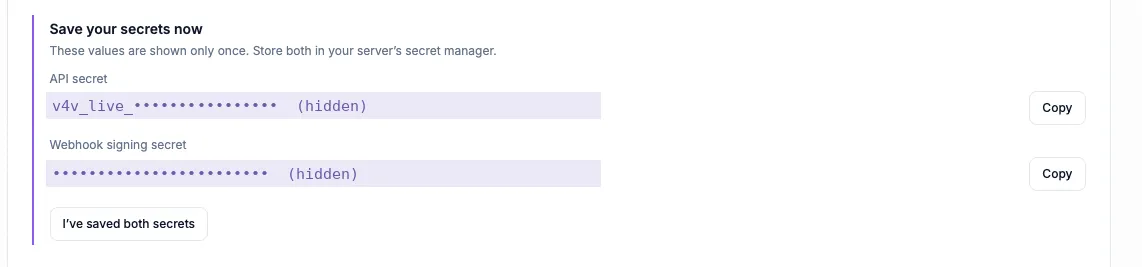
Sign in to V4VOpen your profile, find API Keys, give the key a name such as Claude, then choose Create API key.
Open your API keys
Copy the API secret that starts with v4v_live_. Keep it and the webhook signing secret somewhere safe; they are shown only once. Your assistant needs the API secret.
Gardez le secret API privé. Collez-le uniquement dans les paramètres d’authentification de votre client.
Open the custom connector form with the button below. V4V and the server URL are filled in for you. Other clients have their own MCP settings.
Add to Claude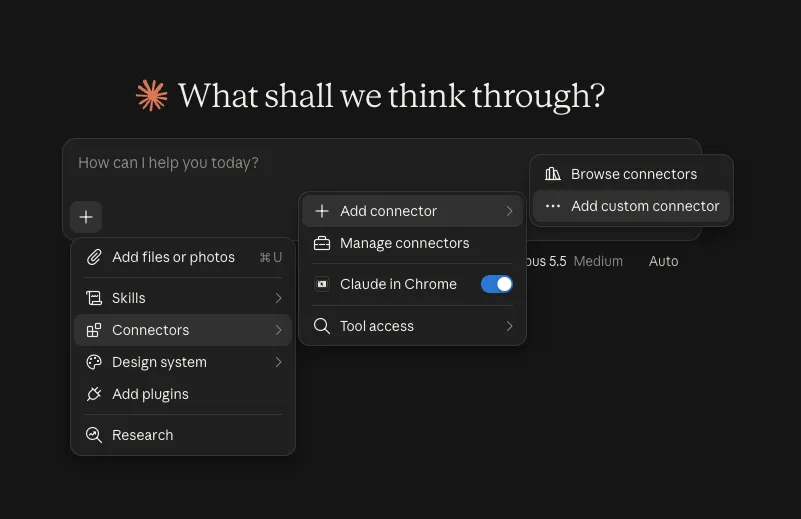
Name the connector V4V and enter https://v4v.ai/api/mcp. Choose Streamable HTTP when asked for the transport.
https://v4v.ai/api/mcp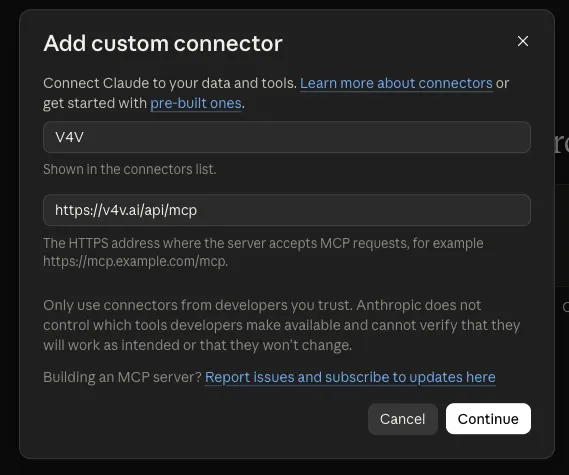
Under Request headers, choose x-api-key and paste the API secret. Header authentication depends on your Claude account or organization. Use OAuth if this option is unavailable.
x-api-key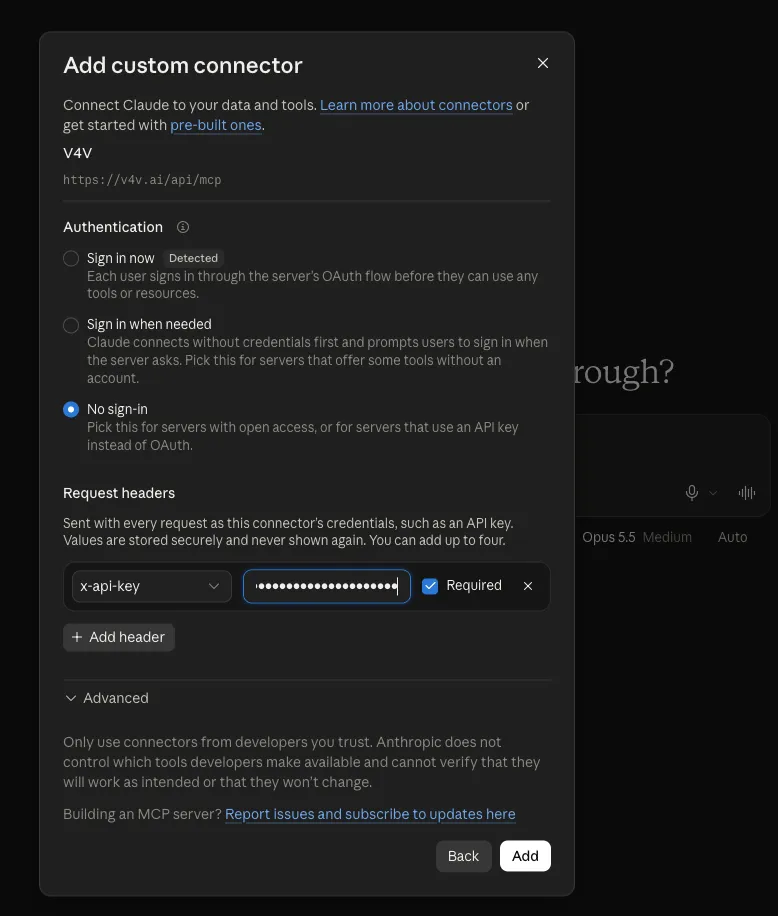
Choose Add and enable the tools you want Claude to use. Ask “Check my V4V balance.” Add credits in your V4V profile when you are ready to generate.
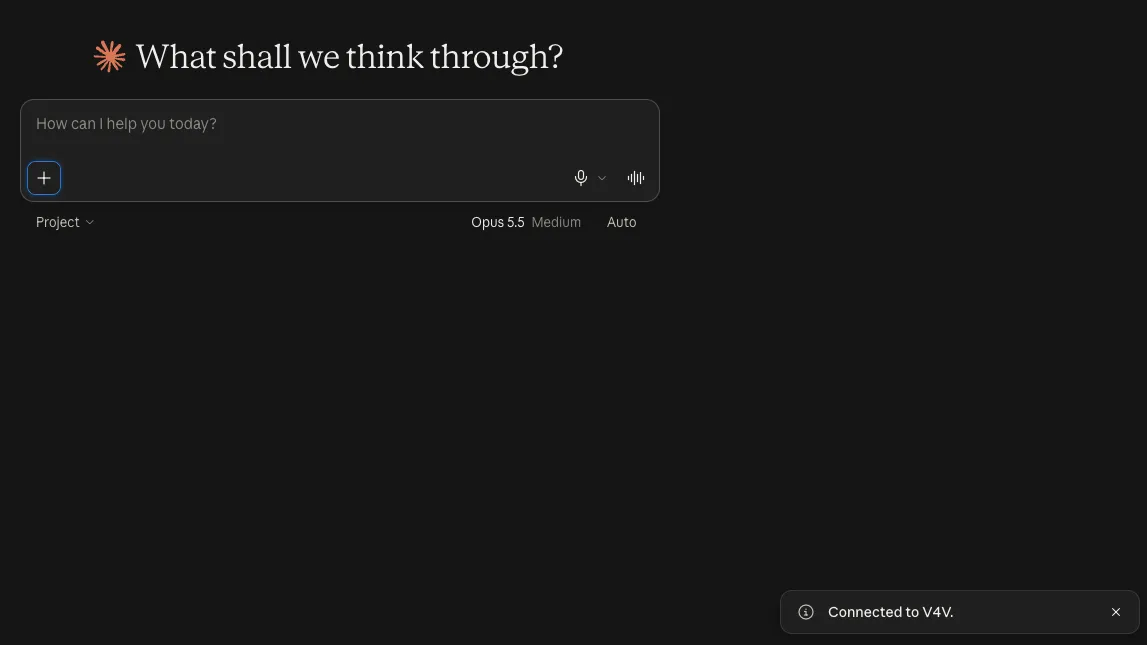
Les captures d’écran sont des exemples. Les libellés et les options d’authentification disponibles peuvent varier selon la version du client ou le compte.
Commencez par vérifier votre solde, puis apportez votre prochain brief créatif.
Check my V4V balance and list the video models that accept a product image as reference.
Voir le guidePlan a 10-second vertical 9:16 ad from this product URL. Show me the concept and estimated credits before generating.
Voir le guideCreate two UGC-style concepts for this product: a natural talking-to-camera review and a product demonstration. Show costs and wait for my approval.
Voir le guidePrepare one Studio video for each of these product URLs. Show the total credit estimate and ask for my batch budget before starting.
Voir le guideCombine my last three V4V clips into a vertical video. Add a title for the first two seconds and show me a preview before export.
Voir le guideWrite a 15-second voiceover for this product ad in English and Spanish. Show available voices and the credit estimate before generating.
Voir le guideOutils, médias de référence, estimations de crédits, flux de travail par lots et modification. La référence complète, quand vous en avez besoin.
Ouvrir la documentation MCP Vous cherchez l’API REST ?V4V MCP connects your AI assistant to your V4V account. It can discover models, use reference media, generate video, images and audio, edit videos and retrieve results through the Model Context Protocol.
Connecting, checking your balance, browsing models and checking task status do not spend generation credits. Generations use your existing V4V balance. Ask for an estimate and approve the brief before starting.
Use V4V sign-in (OAuth) when it is offered for your assistant. API keys are an alternative for clients that accept custom request headers. ChatGPT custom MCP connections use OAuth here, not a V4V API key.
Use the guides for ChatGPT, Claude, Claude Code, Cursor, VS Code, Codex CLI, Gemini CLI, Windsurf, Cline and OpenCode. Other clients can connect if they support remote Streamable HTTP with a custom authentication header.
Your assistant can return result links and task status. Generations also appear in the same V4V account and library used by the website, so you can continue working with them in V4V.
Yes. Open your V4V profile and disconnect it under Assistant connections, or revoke its API key. This stops new access; generations already submitted continue running.
Choisissez votre assistant. Connectez votre compte. Apportez une idée.