01IN V4V
Accedi al tuo account V4V
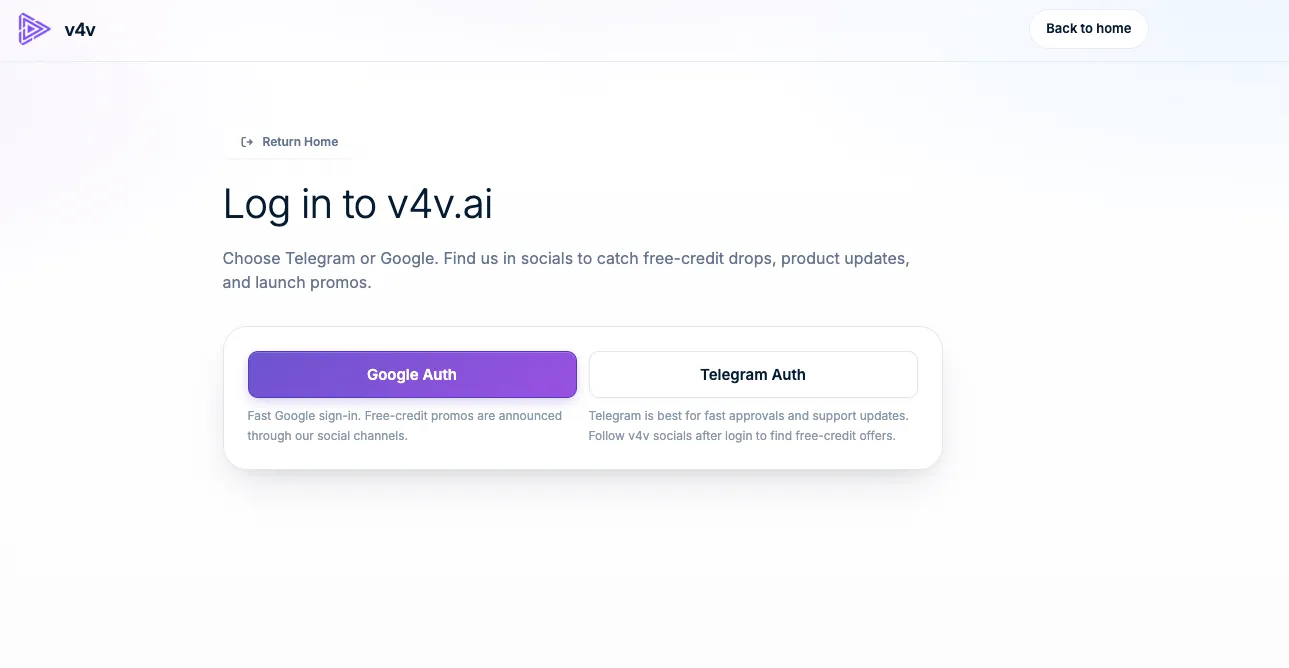
Use Google or Telegram. Your assistant will use this same account, balance and media library.
Sign in to V4VVedi esempio
 v4vhome di .aiCollega il tuo assistente
La tua conversazione. Il tuo studio creativo.
Collega V4V per creare video, immagini e audio con l'assistente che usi già.
https://v4v.ai/api/mcpAccedi con il tuo account V4V oppure usa una API key.
Stessi crediti V4V. Stessa libreria V4V.
Create from a conversation in ChatGPT.
Open your Personal plugins in ChatGPT, choose Add (or +), then Add custom MCP server. Availability depends on your account and workspace.
Enter V4V as the name and paste the server URL. Choose OAuth and Register automatically (DCR); leave Client ID and Secret blank.
Sign in to V4V and accept the three required permissions. Connecting does not spend credits.
Return to ChatGPT and install the plugin if asked. Follow the screenshot guide to enable tools and add V4V to your chat.
Collega il tuo account V4V esistente. Controlla l'assistente e approva l'accesso una volta sola: non c'è alcuna chiave da creare, copiare o conservare.
Creala una volta in V4V. Usala in un client che supporta header di richiesta personalizzati.
Ecco la configurazione completa, con Claude come esempio.
Use Google or Telegram. Your assistant will use this same account, balance and media library.
Sign in to V4VOpen your profile, find API Keys, give the key a name such as Claude, then choose Create API key.
Open your API keys
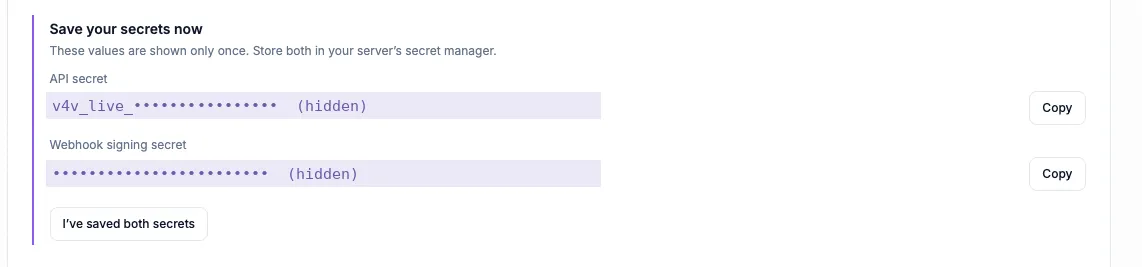
Copy the API secret that starts with v4v_live_. Keep it and the webhook signing secret somewhere safe; they are shown only once. Your assistant needs the API secret.
Mantieni privata la chiave segreta API. Incollala solo nelle impostazioni di autenticazione del tuo client.
Open the custom connector form with the button below. V4V and the server URL are filled in for you. Other clients have their own MCP settings.
Add to Claude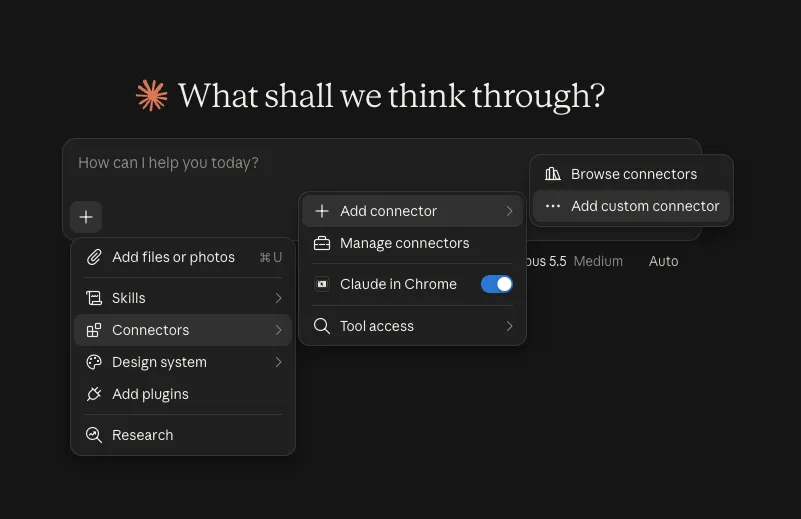
Name the connector V4V and enter https://v4v.ai/api/mcp. Choose Streamable HTTP when asked for the transport.
https://v4v.ai/api/mcp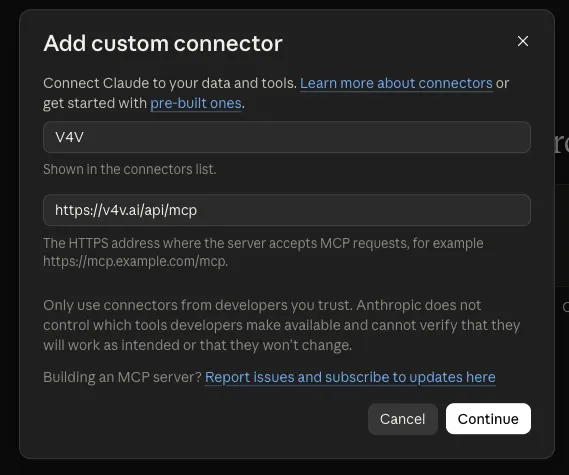
Under Request headers, choose x-api-key and paste the API secret. Header authentication depends on your Claude account or organization. Use OAuth if this option is unavailable.
x-api-key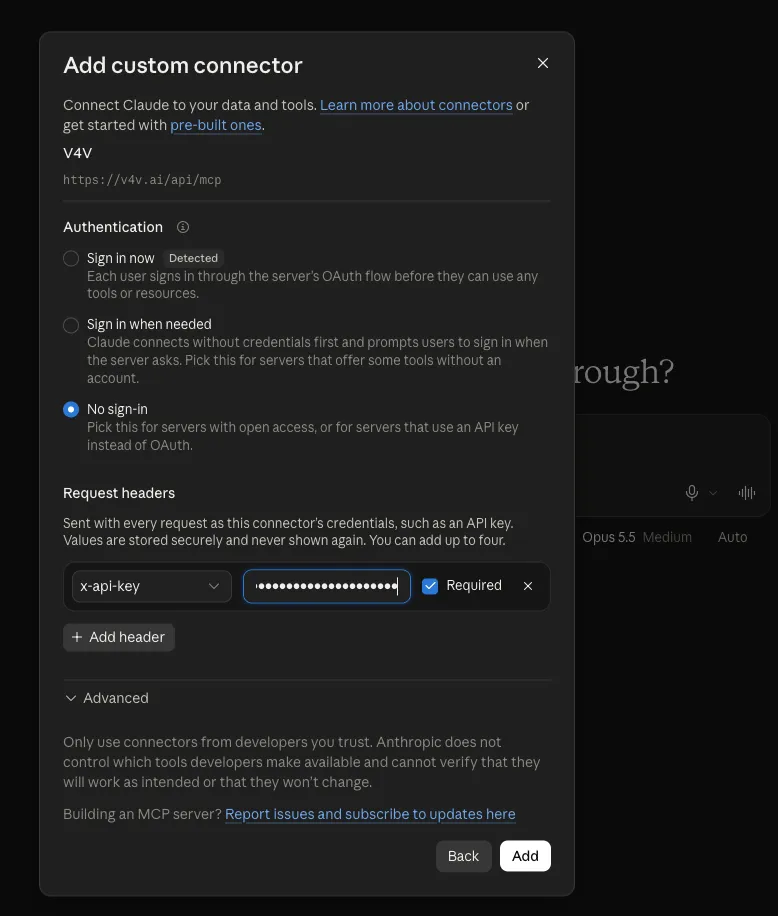
Choose Add and enable the tools you want Claude to use. Ask “Check my V4V balance.” Add credits in your V4V profile when you are ready to generate.
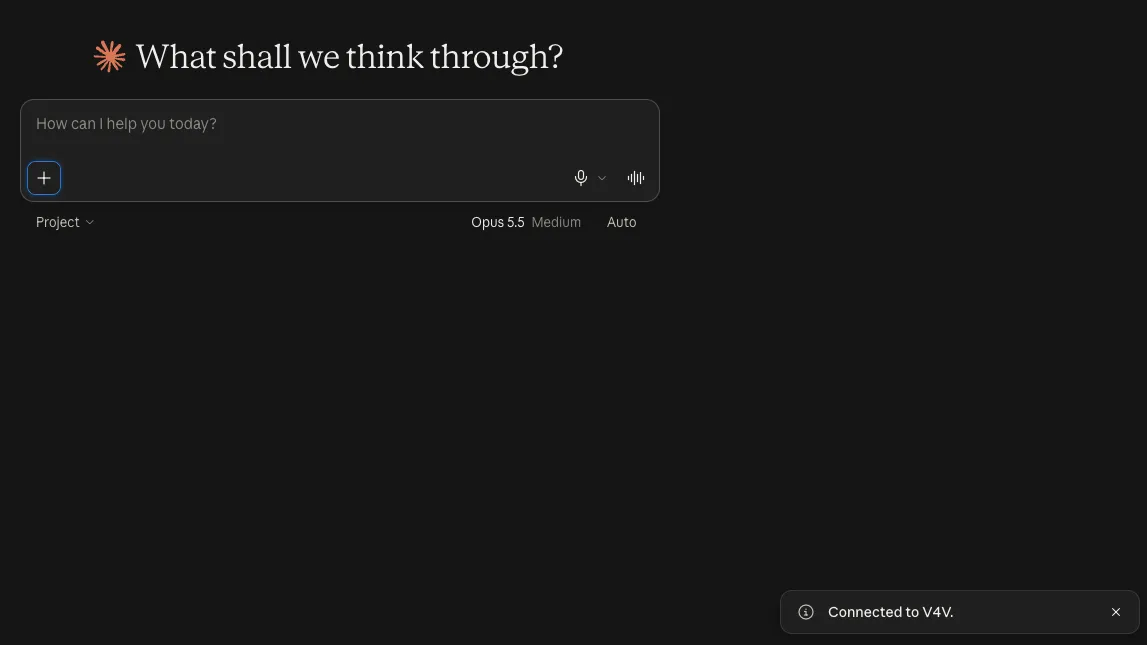
Le schermate sono esempi. Le etichette e le opzioni di autenticazione disponibili possono variare in base alla versione del client o dell'account.
Inizia con un controllo del saldo, poi porta il tuo prossimo brief creativo.
Check my V4V balance and list the video models that accept a product image as reference.
Vedi la guidaPlan a 10-second vertical 9:16 ad from this product URL. Show me the concept and estimated credits before generating.
Vedi la guidaCreate two UGC-style concepts for this product: a natural talking-to-camera review and a product demonstration. Show costs and wait for my approval.
Vedi la guidaPrepare one Studio video for each of these product URLs. Show the total credit estimate and ask for my batch budget before starting.
Vedi la guidaCombine my last three V4V clips into a vertical video. Add a title for the first two seconds and show me a preview before export.
Vedi la guidaWrite a 15-second voiceover for this product ad in English and Spanish. Show available voices and the credit estimate before generating.
Vedi la guidaStrumenti, media di riferimento, stime dei crediti, flussi di lavoro batch e modifica. Il riferimento completo, quando ti serve.
Apri la documentazione MCP Cerchi la REST API?V4V MCP connects your AI assistant to your V4V account. It can discover models, use reference media, generate video, images and audio, edit videos and retrieve results through the Model Context Protocol.
Connecting, checking your balance, browsing models and checking task status do not spend generation credits. Generations use your existing V4V balance. Ask for an estimate and approve the brief before starting.
Use V4V sign-in (OAuth) when it is offered for your assistant. API keys are an alternative for clients that accept custom request headers. ChatGPT custom MCP connections use OAuth here, not a V4V API key.
Use the guides for ChatGPT, Claude, Claude Code, Cursor, VS Code, Codex CLI, Gemini CLI, Windsurf, Cline and OpenCode. Other clients can connect if they support remote Streamable HTTP with a custom authentication header.
Your assistant can return result links and task status. Generations also appear in the same V4V account and library used by the website, so you can continue working with them in V4V.
Yes. Open your V4V profile and disconnect it under Assistant connections, or revoke its API key. This stops new access; generations already submitted continue running.
Scegli il tuo assistente. Collega il tuo account. Porta un'idea.