3/10/2026
Turn Any Photo Into a Dancing Video
Share: /how-to-use/photo-into-dancing-video
Follow these simple steps to create a dancing video from any photo using the ready workflow.
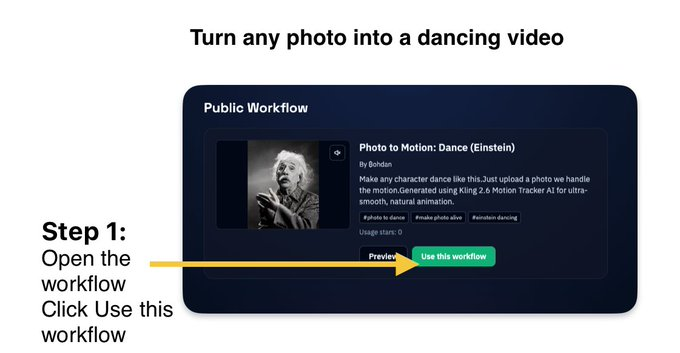
Step 1 — Open the Ready Workflow
Open the public workflow:
👉 Photo Into a Dancing Video - v4v Workflow
Then click Use this workflow to copy it to your workspace.
Step 2 — Upload Your Photo
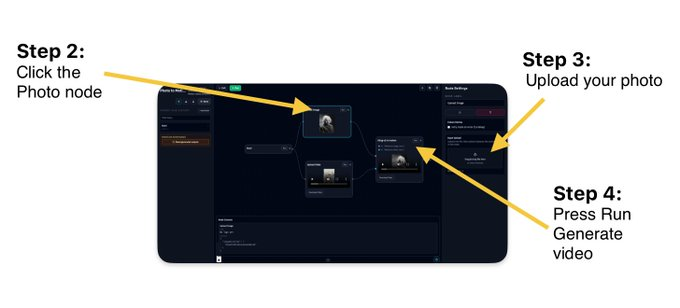
- Click the Photo node in the workflow.
- Upload the image you want to animate.
Step 3 — Generate the Video
- Press Run.
- The AI will process the motion and generate your dancing video.
Tips
- Best results come from clear photos of a person facing the camera.
- Works great with funny characters, pets, or memes.
- You can replace the photo anytime to generate a new video.
🎬 That's it — your photo becomes a dancing video in seconds.