Product changelog

AI Product Video & Workflow Updates — Latest Features & Improvements

New AI video models, Shopify tools, UGC ad workflows, and practical product improvements—documented as they ship.

Explore the latest updates
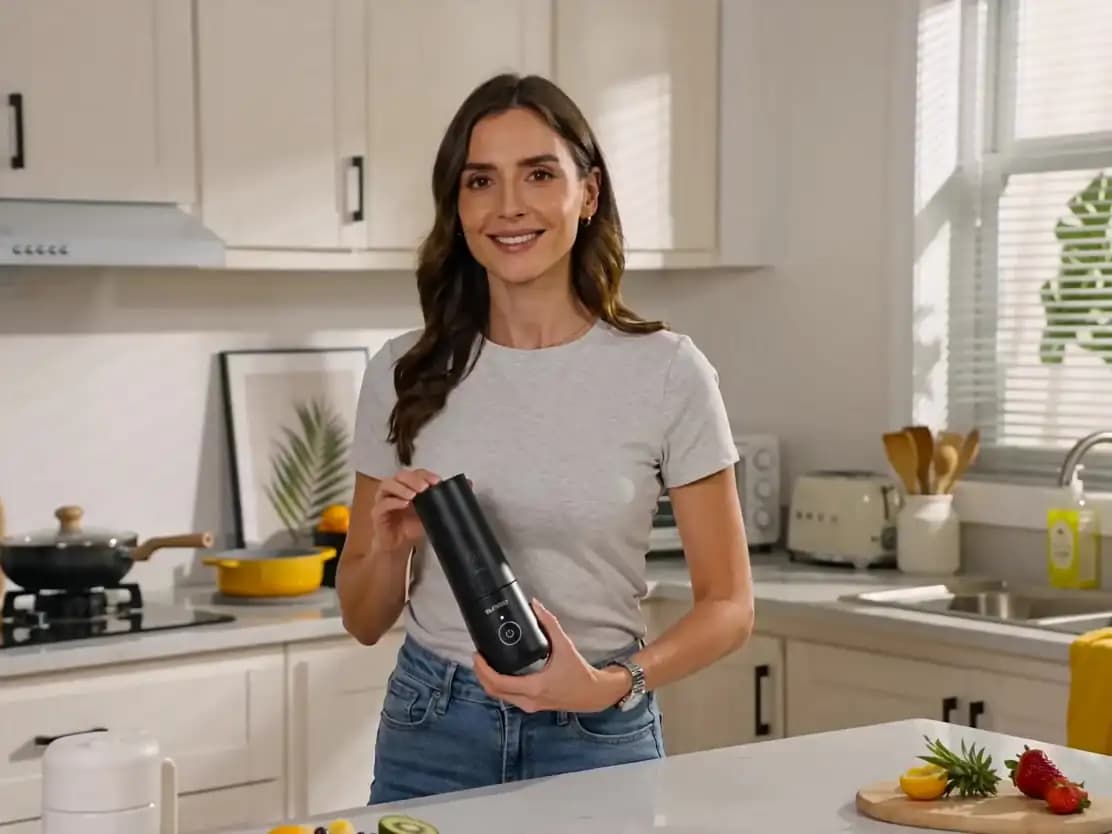
AI-generated product video presenter created with v4v.ai
Shipped weekly
Better ways to create product video
Latest releases

Built in public. Explained clearly.

Weekly notes for ecommerce teams and creators who want to know what they can make faster, control more precisely, or publish with fewer steps.

12

Gemini Omni Flash 1.1 Arrives in Studio and Lab

Lab and Studio now use the latest Gemini Omni Flash model with stronger reference controls and more dependable project recovery.

  • Added Gemini Omni Flash 1.1 to Workflows and Lab while keeping the previous Gemini Omni Vid model available.
  • Added first-frame and last-frame controls, product reference images, reusable character IDs, duration and resolution settings, and model-aware pricing.
  • Updated OmniVid and Studio to pass selected products and avatars correctly into new generations.
  • Fixed legacy OmniVid projects so saved avatars and products restore reliably, and added automatic recovery for temporary character-processing errors.
  • Kept prompts empty when the creator selects only product and avatar objects without writing any prompt text.
11

A More Focused Shopify Studio Experience

The embedded Shopify workspace is now cleaner and keeps attention on creating and publishing product videos.

  • Removed duplicate personal Studio account settings from the Shopify app.
  • Removed the redundant workspace settings section from the embedded experience.
  • Simplified the app surface so product selection, video creation, credits, billing, and publishing remain the primary actions.
10

Seedance 2.5 and a More Reliable Shopify Workflow

A new Seedance generation option joined v4v while Shopify creation, billing, and publishing became more dependable.

  • Added Seedance 2.5 to Workflows and Lab with familiar Seedance inputs, 480p and 720p output options, and video-aware credit estimates.
  • Completed Shopify credit-pack purchases, billing history, invoices, welcome credits, and generation status handling.
  • Improved the Shopify product-video action with steadier progress polling, clearer loading states, and safer publish lifecycle handling.
  • Restored product imagery on pricing pages and improved canonical public URLs across navigation and search surfaces.
09

Shopify AI Product Videos, Right Inside Your Store

Create, review, and publish product videos from Shopify without rebuilding your workflow in another tool.

  • Open the live v4v Studio from a Shopify product or from App Home.
  • Import product details and images with Shopify's product picker, then choose style, duration, format, language, voiceover, and presenter.
  • Generate with the active v4v video workflow, review the result, and add it to the Shopify product media gallery.
  • Disconnect or switch the connected v4v account without reinstalling the app.
08

New AI Video Guides, Comparisons, and Prompt Libraries

A larger learning library now helps ecommerce teams choose AI video models, formats, prompts, and platforms with less guesswork.

  • Added practical guides for AI product videos, UGC ads, creative testing, and reusable workflows.
  • Expanded model and tool comparisons so creators can match quality, speed, and control to the job.
  • Improved navigation, author context, social previews, and content indexes to make useful answers easier to find in search and AI assistants.
07

Flexible Plans and a Smarter First Run

New subscription options and clearer onboarding make it easier to start with the right amount of AI video capacity.

  • Added subscription plans alongside pay-as-you-go credits.
  • Introduced a short signup survey that helps tailor the first Studio experience to each creator's goals.
  • Expanded public case studies, including Ukrainian-language access, so more teams can see practical ecommerce video examples.
06

A Cleaner Studio, Faster Downloads, and Guest Preview

The core creation workspace became easier to explore, manage, and use from mobile devices.

  • Renamed and reorganized the main workspace as Studio, with clearer project and tool navigation.
  • Added guest preview so new creators can explore the AI video workflow before committing.
  • Improved mobile video downloads, preserved useful filenames, and made stalled workflow recovery more dependable.
  • Published a richer case studies experience with real ecommerce creative examples.
05

Smarter AI Video Workflows and Better Product Imports

Studio gained more useful controls for turning product pages, images, and creative direction into repeatable video workflows.

  • Improved prompt entry, image options, project filters, and reusable Studio tools.
  • Made product gallery imports more reliable across ecommerce storefronts.
  • Refined image handling for AI Film Director workflows and added referral bonuses for invited creators.
04

OmniVid: A New AI Product Video Workflow

OmniVid joined v4v Studio as a connected workflow for creating polished product motion from prompts and reference images.

  • Added OmniVid generation with product and character reference support.
  • Brought format, model, pricing, and output controls into the reusable workflow system.
  • Improved render stability and project output handling so longer AI video jobs finish more predictably.
03

New workflow tools, builders, login updates, and coupon support

In last updates we expanded the canvas with new video nodes, launched new builder flows, improved account access, and added coupon code support.

Read full release note

Several product updates have been shipped since the last update on March 12, 2026.

What’s new:

- Added Seedance 2.0 to the workflow canvas for new video generation flows.
- Added a dedicated Ad Videos Builder flow for faster ad creation workflows.

- Added a dedicated Shopify Builder flow for product-focused video ad generation.

- Added email-based registration and login support, so access is no longer limited to Telegram only.

- Added coupon code support.

- Added 4 new Wan 2.7 nodes to the workflow canvas:

- Wan-2-7-text

- Wan-2-7-img

- Wan-2-7-videoedit

- Wan-2-7-ref-to-vid

Workflow improvements:

- Wan-2-7-videoedit now shows both credits per second and total credits directly in node settings.
- When Wan-2-7-videoedit duration is set to 0, pricing now uses the source video length automatically.

- Input connections and node settings were improved for the new Wan 2.7 nodes.

02

New AI Models, Nodes & Editor Improvements

This update introduces several new AI models, new workflow nodes, and usability improvements to make building AI video pipelines in v4v.ai faster and more powerful.

Read full release note

New AI Models Added

We expanded the list of available AI models:

  • nano-banana-2
  • veo-3.1 ( image → video, text → video )
  • Kling-v3-0-motion
  • seedream-5.0-lite (image generation)

Nodes Updated

Several nodes now support the new image AI models via provider settings:

  • Image Editing
  • Text to Image
  • Character Generation
  • Frame Grid Generation

Users can now choose between multiple image AI providers directly in node settings.


New Nodes Added

veo-3-1-image

Generate video from images.

Features:

  • image → video generation
  • supports up to 14 input images

veo-3-1-text

Generate video directly from a text prompt.

Kling-v3-0-motion

New motion model for generating animated video from images by adapting same emotion and movings from source video.


Improvements

Auto-random seed for veo-3.1

The veo-3.1 nodes now include an automatic randomizer for the seed value, making it easier to generate unique results.

Node tooltips

Added tooltips for node setting options to help users understand parameters more easily. (Currently available for new nodes.)

Better node placement

When adding a new node to the canvas, it now appears in the center of the screen, so you no longer need to search for it.

Editor navigation improvement

The Exit button in the project canvas editor has been replaced with Back to Project for clearer navigation.

Telegram login messages improved

Improved communication messages in Telegram during login authorization to make the process clearer for users.


Fixes

Get Video Frame node

Improved performance — the node now processes frames faster and more reliably.


More improvements coming soon 🚀

01

Project Update — Major Editor & Workflow Improvements

This update focuses on improving the workflow editor, node behavior, and usability, along with new admin tools and content sections.

Read full release note

Improvements

Mobile UI fixes

Fixed layout issues where workflow cards and dashboard blocks overflowed the screen on mobile.

Variable helper in node inputs

Typing $ now shows a popup with available internal variables ($now, $today, $rnd, $rnd_hex, etc.).

Click to insert directly into the field, for example: {{$rnd_hex(32)}}

Canvas editor improvements

- Click → open add-node panel
- Click and hold → start connection line

  • Added copy/paste for multiple selected nodes.
  • Improved + behavior on node outputs:

Smarter node auto-connections

New nodes added from + now automatically connect to the correct input port
(audio → audio, clip → clip, etc.).

Navbar shortcut

Clicking the username + credits block now opens the Profile page.

Dashboard improvement

Added a link to ready workflow templates on the Explorer page.


New Features

Frame Grid Generation — Prompt Gallery

  • Added gallery with example prompts and demo images.
  • Users can insert prompts directly from the gallery.
  • Admin interface added to manage gallery items.

Render node watermark

New optional input: image watermark

Watermark position settings:

  • top-left
  • top-right
  • bottom-left
  • bottom-right

New node: Get Video Frame

Extract an image frame from a video clip.

Options:

  • first frame
  • last frame
  • specific frame number

Fixes

Node error handling

Fixed issue where nodes kept spinning after errors or when credits ran out.


New Content Sections

How to Use

  • Tutorial posts with images, videos, and workflow links.
  • Admin interface added for managing guides.

Project Updates

  • Dedicated section for publishing feature updates and release notes.
  • Admin interface added.

Both sections are accessible from the footer.

Ready to make the next one?

Turn a product into publish-ready video.

Open v4v Studio