
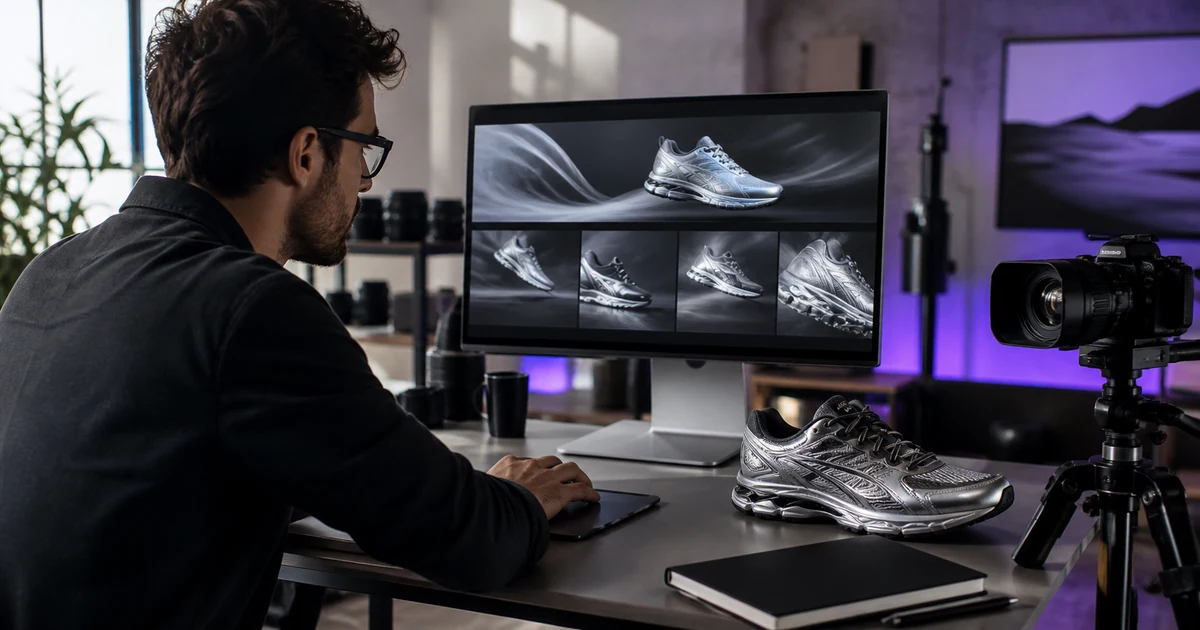
Gemini Omni makes short product videos — 4 to 10 seconds — and its useful trait is consistency: the product keeps its shape and colour while you change the background, wardrobe or lighting around it. There are two ways in. Google's own apps put it behind paid Google AI subscription tiers, with a compute allowance that refreshes every five hours until you hit a weekly cap. v4v's AI Lab runs it pay-per-use: 180 credits per 10-second clip, about $1.26 at the $7-for-1,000-credits entry pack, 9:16 or 16:9, up to 4K, roughly two minutes of render time. v4v has no subscription and credits never expire, so the cost of a clip is fixed and known before you press generate.
What is Gemini Omni good at for product work?
Most AI video models drift. Give them a red sneaker, ask for a lifestyle scene, and by the end of the clip the sneaker is a slightly different shade with a slightly different silhouette. Gemini Omni holds product detail steadier across a generation. That matters more than raw cinematic quality when the thing you are selling has to stay recognisably itself.
Four things it does well:
Consistent avatars in scene. Place a presenter or lifestyle character in a product-relevant environment and iterate across several generations without rebuilding the setup each time.
Real-world grounded scenes. Kitchen countertop, gym floor, outdoor market. Gemini Omni handles environmental context well, which matters when you are showing a product in use rather than floating it against a gradient.
Conversational in-chat editing. Generate a clip, then type "swap the background to a clean white studio" or "change the jacket to olive green." The model adjusts while keeping the product intact. No timeline, no keyframes, no export-reimport cycle.
Fast concept-to-clip iteration. Roughly two minutes of render per 10 seconds of footage. For a solo operator testing three creative directions in one sitting, that speed compounds.
What are the honest constraints?
Clips are short. In v4v's AI Lab, Gemini Omni caps at 4 to 10 seconds per generation. That rules out anything needing a narrative arc, but it is the right length for a paid social hook or a product reveal.
Avatar restrictions apply. Gemini Omni's documented model restrictions rule out generating recognisable celebrities or children as avatars. That is a limit built into the model, not into any one interface, so it applies wherever you run it.
Know which v4v flow you are in. Inside the AI Lab you can push Gemini Omni to 4K. v4v's separate paste-a-product-URL flow — the one that writes the brief for you — currently outputs 720p 9:16. Both are useful; they are built for different jobs. If resolution is the priority, generate in the Lab.
Which access path should you use?
Path 1: Google's own apps
Google sells Gemini Omni access through its paid Google AI subscription tiers: an entry consumer tier, a mid tier, and a top-end tier for heavy users. We are not quoting figures here — Google's pricing pages resolve to local currency by location, so the numbers you see depend on where you are. Check Google's pricing page directly for your market. Google moved off daily prompt counts to a compute-used model: your allowance refreshes every five hours until you reach a weekly cap, and video generation burns through it faster than text or images.
This path works if you already live in Google's ecosystem and want to poke at Omni across text, image and video in one place. The friction for production work is the cap. You cannot reliably predict when you will be able to run the next batch of variations. For a DTC operator trying to ship five creative variants before a campaign goes live, "come back in five hours" is a scheduling problem, not a minor annoyance.
Path 2: v4v's AI Lab
Inside v4v's AI Lab, Gemini Omni runs pay-per-use. A 10-second clip costs 180 credits — roughly $1.26 at the entry pack rate of $7 for 1,000 credits. There is no v4v subscription, nothing renews, and credits never expire, so an unused balance is still there next quarter.
Output specs: 9:16 or 16:9, up to 4K, roughly two minutes of render per 10-second clip. The 9:16 output drops into vertical paid social placements on Meta and TikTok without reformatting.
The practical difference is predictability. You know what a clip costs before you run it, and there is no compute window to wait out. Want to run ten variations in one session? Run ten variations — 1,800 credits, about $12.60, finished inside half an hour.
For a broader view of which model suits which shot, the AI video models guide covers the whole stack.
How do you write prompts that produce usable product footage?
Generic prompts produce generic footage. For product work, structure carries most of the result.
Use this order: subject + action + place + light + camera + format.
Naming the product first keeps the model grounded on it, then builds the scene outward. Reversing that — leading with mood or setting — is the fastest way to get a beautiful clip of the wrong thing.
Three example prompts
Product demo, clean studio:
"A matte black water bottle sits on a white marble surface. Slow rotation, 360 degrees. Soft diffused studio lighting, no shadows. Camera holds steady at eye level. Vertical 9:16 format."
Lifestyle in use:
"A woman in her 30s pours coffee from a glass pour-over into a ceramic mug on a wooden kitchen counter. Morning light through a window. Camera pushes in slowly from mid-shot to close-up on the pour. Warm colour grade. Vertical 9:16 format."
Product reveal with texture detail:
"Close-up of hands unboxing a skincare serum. Fingers press the dropper, one drop falls in slow motion. Clean white background, soft ring light. Camera starts at macro, pulls back to reveal the full bottle. Vertical 9:16 format."
Each one names the product action before the environment, specifies a light source, and ends with the output format. That last detail earns its place: specifying 9:16 at the prompt level makes the model frame for vertical from the start instead of composing wide and cropping later.
More patterns, including reference-image inputs and style direction, are in the Gemini Omni prompt patterns set.
Why do short product clips work?
Ten seconds sounds limiting. For paid social it is usually the right length.
The hook fires in the first three seconds. The demo lives in seconds four through eight. The last two seconds carry the brand or the CTA. A well-built 10-second clip covers that whole arc with nothing spare.
In a merchant test shared on r/ecommerce (July 2026), product pages with 8–10s demo videos converted roughly 12% higher — one store's test, not an industry study. Treat it as a reason to run your own test, not as a benchmark to forecast against. What it does line up with is the general shape of short-form product video: specificity and brevity beat length when the product is the subject.
Current specs and credit costs sit on the Gemini Omni model page if you want to plan a session before you open the Lab.
How do you run a production session in the AI Lab?
The loop is short.
- Open the AI Lab and select Gemini Omni from the model list.
- Write your prompt using the subject-action-place-light-camera-format order.
- Set aspect ratio — 9:16 for paid social — and clip length, up to 10 seconds.
- Run the generation. Expect roughly two minutes.
- Review. If the product detail is right but the background is wrong, change that one variable and regenerate.
- Repeat until you have the variation set you need.
Conversational editing works best one variable at a time. Changing background, wardrobe and lighting in a single revision tends to produce something inconsistent with all three previous attempts, and you lose the ability to tell which instruction caused what. Isolate the variable, confirm it held, then move on.
Keep a note of the prompts that worked. The value of a session is not the clip you ship, it is the prompt skeleton you reuse on the next twenty SKUs with the product name swapped out.
What does a session cost to plan?
Budget in clips, not months. At 180 credits per 10 seconds, the $7 entry pack covers five 10-second generations. A working session of 15 to 20 variations lands around 2,700 to 3,600 credits. Because nothing expires, you can buy once, spend what a campaign needs, and leave the remainder for the next launch. The full pack breakdown is on the v4v pricing guide.
That is also the cheapest honest way to try Gemini Omni through v4v: buy the $7 pack, run five clips, decide. There is no subscription to cancel afterwards, because there is no subscription.
Gemini Omni's value for product work comes down to one capability: you can iterate on the scene without losing the product. Start with a tight prompt, run one generation, change a single variable, repeat. Whether you do that on a Google plan or on credits depends less on the model than on how predictable your costs need to be.
Once the mechanics are familiar, the next step is deciding what to actually shoot. Three Gemini Omni ad recipes for ecommerce walks through complete builds — prompt, structure and intended placement — for the ad formats that carry most DTC spend.
Paste a product link. The brief builds itself.
Generate product videos, UGC-style ads and hooks in about 5 minutes.
From $7 · no subscription, ever · credits never expire
FAQs
How long can Gemini Omni videos be?
In v4v's AI Lab, Gemini Omni generates clips of 4 to 10 seconds per generation. Through Google's own apps, clip length depends on your tier and remaining compute allowance. Ten seconds is enough for a paid social hook or a product demo — hook in the first three seconds, demo through second eight, brand or CTA in the last two.
How much does a Gemini Omni video cost in v4v?
A 10-second clip costs 180 credits in v4v's AI Lab. At the entry pack rate of $7 for 1,000 credits, that is roughly $1.26 per clip. Credits never expire and there is no subscription, so a pack bought for one campaign still works months later on the next one.
Gemini Omni or Veo 3.1 for product ads?
Both run inside v4v's AI Lab. Gemini Omni holds product detail consistently and supports conversational in-chat editing, which suits iterative product work. Veo 3.1 is the premium tier for cinematic lighting and dynamic action. For a slow product reveal, use Gemini Omni. For a high-energy lifestyle clip, use Veo 3.1.
Can I make avatar-led product videos with Gemini Omni?
Yes, with restrictions. You can create presenter-style clips with AI avatars in product-relevant scenes. Gemini Omni's own documented model restrictions rule out generating recognisable celebrities or children as avatars, so that limit travels with the model whichever access path you use. For lip-sync avatar work specifically, v4v's AI Lab also includes Kling AI Avatar, which is built for that job.
Do I need a Google account to use Gemini Omni?
Not through v4v. The AI Lab runs Gemini Omni on credits with no Google account involved. To use it through Google's own apps you need a Google account and a paid Google AI subscription tier — Google sells several, from an entry consumer tier up to a top-end tier aimed at heavy users. Check Google's own pricing page for current rates in your country; the figures Google shows vary by region and currency.
What resolution does Gemini Omni output?
In v4v's AI Lab, Gemini Omni outputs 9:16 or 16:9 at up to 4K, with roughly two minutes of render time per 10-second clip. Note that v4v's separate paste-a-product-URL flow, which builds the brief automatically, currently outputs 720p 9:16 — a different tool for a different job.